
40+ free classroom screen tools
A complete toolkit of free classroom display tools designed specifically for teachers — project on any smart board or projector.
Timer & Stopwatch
Keep your class on schedule with countdown timers and stopwatches that everyone can see.
Random Name Picker
Fairly select students for tasks, answers, or rewards with an engaging random picker.
Dice Roller
Roll virtual dice for games, math activities, or classroom decisions.
Sound Level Monitor
Visually track classroom noise levels and keep volume under control.
Drawing Board
Sketch, annotate, and explain concepts with a built-in drawing canvas.
QR Code Generator
Instantly share links and resources with students via QR codes.
Live Polls
Gather student opinions and votes in real-time with visual results.
Save & Restore
Save your board layouts and reuse them across different class periods.
Tool of the day
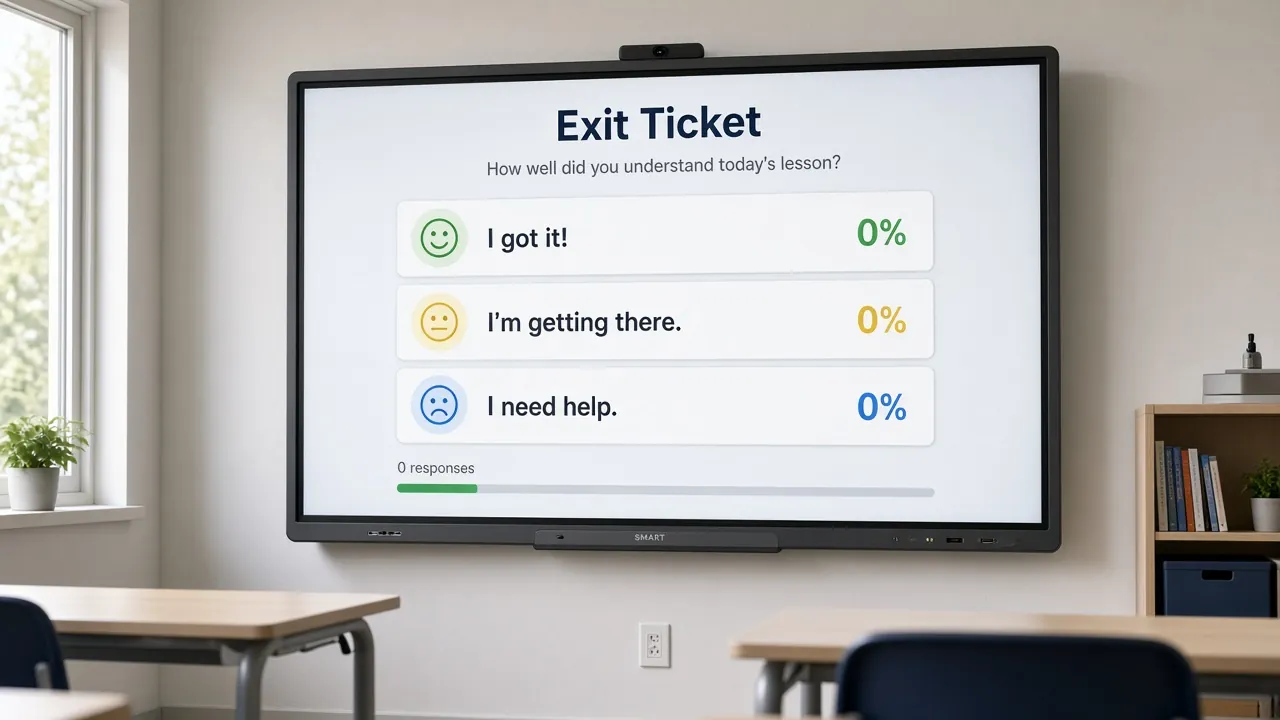
Exit Ticket + Timer
End-of-lesson check before the bell
You see the room’s pulse; students see a hard stop.
How to run it in 5 minutes
- Put the prompt in a text widget or the exit-ticket widget.
- Start a three-minute timer.
- Students vote Got it / Almost / Need help (or your custom options).
- Note the tally for tomorrow’s first five minutes.
Pair with
Mistake to avoid: Asking three exit questions with thirty seconds left — one clear prompt wins.
On this page
- Open the free board
- What you can put on the screen
- 6 ready-made boards
- A sample class period on the board
- Free vs Classroomscreen
- When a classroom screen is not the answer
- Accessibility
- Privacy in one paragraph
- Guides by topic
- FAQ
- Related articles
- Sources
Open the free board
A classroom screen is the display at the front of your room turned into a live control panel for the lesson. Instead of saying "five more minutes" six times, the countdown is on the wall. Instead of choosing a student yourself, a name picker does it in front of everyone. MyClassScreen gives you that panel in a browser tab, free, on whatever computer is connected to your projector or interactive panel.
Getting started takes about a minute:
- Open the board on the classroom computer. There is nothing to download and no form to fill in.
- Click widgets in the bar along the bottom to add them, for example Timer, Names and Sound.
- Drag and resize each one until the back row can read it.
- Go full screen and teach. When the lesson ends, save the board with a name so it is ready next time.
It runs in a current browser on the computer already connected to the display. Open the board and use the browser's full-screen control. On a Chromebook it works in Chrome, and it can be installed as an app so it opens in its own window. If your school manages devices centrally, the Chromebook guide and the interactive panels guide list what to ask IT for, such as microphone permission for the noise meter.
The board is the product, and it is the same for everyone: no free tier with locked widgets, no trial period and no upgrade prompts on the screen your students are looking at.
What you can put on the screen
There are 43 widgets in the board's widget bar. These are the ones most teachers reach for first, each with its own guide:
| Widget | What it does on the wall | Guide |
|---|---|---|
| Timer | Counts down from up to 99 minutes, with a clear "Time's up!" at zero | Classroom timer |
| Noise meter | A bar that turns green, amber or red with the volume of the room | Noise meter |
| Random name picker | Picks a name from your list with a short animation | Name picker |
| Group maker | Shuffles a class list into groups of the size you choose | Group maker |
| Traffic light | Green, yellow and red signal for work mode | Traffic light |
| Live poll | A question with options that students tap on the panel | Live poll |
| Exit ticket | A one-question check before students leave | Exit ticket |
| Text | Instructions, agenda or the day's objective in large type | Text widget |
If you are new to classroom screens, start with three: a timer so nobody has to ask how long is left, a voice-level signal such as the noise meter or traffic light, and a text box with the steps of the task. Use them for a week before adding more. Once those routines feel automatic, a name picker or group maker is usually the next widget that saves real time.
The rest cover dice, a wheel spinner, a scoreboard, a drawing board, QR codes, flashcards, a stopwatch, a visual timetable, an attention chime, images, PDFs, videos and a set of whole-class games. The classroom widgets hub sorts all of them by the job they do.
6 ready-made boards
If an empty canvas feels like extra work, start from a layout. Each link below opens the board with the widgets already placed. Change the text, add your names and save it as your own.
- Morning Meeting: clock, timer, text, name picker and traffic light for a structured start to the day.
- Bell Ringer: a timer, the warm-up question, a clock and the noise meter for the first five minutes.
- Station Rotation: group maker, timer, station list and name picker for centres.
- Quiz Time: name picker, timer, question text, traffic light and dice for whole-class review.
- Red Light, Green Light: a movement brain break run from the traffic light.
- Exit Ticket: poll, timer, QR code and a prompt for the last few minutes.
There are 22 templates in all, sorted by routine and grade band on the templates page.
A sample class period on the board
Here is an example of how one 45-minute upper-elementary maths lesson could run on a single board with three screens. It is an illustration, not a timetable to copy.
| Minutes | What is on the screen | Why it helps |
|---|---|---|
| 0–5 | Timer at 5:00, a Text widget with the warm-up problem, the noise meter small in a corner | Students start without waiting for you to finish the register |
| 5–15 | Still on the first screen: Drawing board for the worked example, Traffic light on red | The example stays visible while everyone listens |
| 15–35 | Second screen: Group maker in fours, Timer at 20:00, noise meter large, Traffic light on green | Groups form in seconds and see their own volume |
| 35–40 | Random name picker to choose groups to share | Every group knows it might be asked |
| 40–45 | Third screen: Exit ticket with "Got it", "Almost" and "Need help" | A quick read of who needs help tomorrow |
Building this once takes about ten minutes. After that it reopens from My Boards in one click, and you only change the warm-up text each day. Open the free board and try laying out your own next lesson the same way.
Free vs Classroomscreen
Classroomscreen is the best-known tool in this category, and it is a good one. Many teachers who find MyClassScreen are comparing the two, so here is the short version, checked against Classroomscreen's pricing page on October 5, 2026.
| MyClassScreen | Classroomscreen | |
|---|---|---|
| Price | Free, everything included | Basic $0; Pro $3 a month, billed $36 a year; Organization licences for schools |
| Widgets | 43 in the widget bar | 26, all included in Basic |
| Saving boards | Free, stored in your browser, plus shareable layout links | Saving and sharing screens is a Pro feature |
| Account needed | No, not even to save | A free account to save name lists and layouts |
| Students voting from their own devices | No, polls are tapped on the panel | Yes, remote poll voting in Basic |
Classroomscreen is stronger if you want its own account to carry screens between computers. On MyClassScreen, press Save Board and the layout stays in this browser. Use Copy link to open it on another computer. MyClassScreen is the simpler choice if you want every widget free, no sign-in and saved boards without a subscription. The full comparison covers features, privacy and how to rebuild a Classroomscreen board here in five minutes.
When a classroom screen is not the answer
A projected board helps with shared routines: time, turns, volume and instructions. It does not replace teaching, and it is the wrong tool in a few situations. If students each need different work, use their own devices. If you need to record results per student, use your school's platform, because the board's polls and exit tickets only count taps on the day. And if a lesson is going well with nothing on the screen, there is no need to add widgets for the sake of it.
Watch for one more warning sign: students spending more time watching the board than doing the task. A spinning wheel or confetti burst is fun once, but if it starts to slow transitions down, switch to a plainer widget or remove it. The aim is a calmer room with fewer repeated instructions, not a busier screen.
Accessibility
A visible timer and written instructions give every student a second way to follow the lesson, which helps students who miss spoken directions. Several widgets pair colour with a shape, word or number, so colour-blind students are not left guessing: the noise meter shows a face and a percentage, and the traffic light names the active colour. Make widgets large enough to read from the furthest seat, keep backgrounds plain, and pair any sound cue, such as the attention chime, with something on screen.
Privacy in one paragraph
Students never create accounts or sign in, and you do not need one either. Saved boards are kept in your own browser's storage, not on our servers. The noise meter turns microphone sound into a loudness level inside the browser and does not record or upload audio. A few widgets do contact other services by design: QR codes are drawn by a QR image service from the text you enter, and videos load from YouTube or Vimeo. The board page carries no ads. The full details are in the privacy policy and the schools page.
Guides by topic
The site is organised into a few hubs, each with in-depth guides written for teachers:
- Classroom widgets: a guide for every widget, sorted by the job it does, with setup steps and classroom examples.
- Classroom screen guide: what to project, how big to make it, and boards for elementary, middle school and high school.
- Templates: ready-made boards for routines, brain breaks and stations, plus printable substitute sheets.
- Help: getting started, saving boards, Chromebooks, interactive panels and troubleshooting.
- Alternatives: honest comparisons with other classroom display tools, with dates on every price.
- Blog: classroom management, screen setup ideas and tool comparisons.
Frequently asked questions
Is MyClassScreen really free?
Yes. Every widget, template and saved board is free, with no paid plan or trial. Ads on the articles and guides fund the site, and the board itself has no ads.
Do I need to sign up to use the classroom screen?
No. Open the board and start adding widgets. You can also save boards without an account, because they are stored in your browser.
Does it work on a smart board or projector?
Yes. Open the board in the browser of the computer connected to your projector, or in the browser on an interactive panel, then press the full-screen button.
Can I save my board and use it again tomorrow?
Yes. Press Save Board and name it, and it appears under My Boards next time on the same browser. To use it on another device, copy the layout link and open it there.
Is the noise meter safe to use with students?
Yes. It measures loudness inside the browser and does not record, store or upload any audio. Students do not need accounts, and you can stop the microphone at any time.
How is MyClassScreen different from Classroomscreen?
MyClassScreen is free with no account and includes saved boards. Classroomscreen has a free Basic plan with remote poll voting and a paid Pro plan for saving and sharing screens. See the full comparison for details.
Related articles
- Classroom screen ideas for every part of the day
- A morning meeting screen template
- Back-to-school classroom screen setup
Sources
- Classroomscreen, "Pricing" (checked October 5, 2026): https://classroomscreen.com/pricing
- CAST, "Universal Design for Learning Guidelines": https://udlguidelines.cast.org/
- W3C, "Understanding Success Criterion 1.4.1: Use of Color" (WCAG 2.2): https://www.w3.org/WAI/WCAG22/Understanding/use-of-color.html
Start your classroom screen
Your next lesson can have a timer, a voice-level signal and a name picker on the wall in under a minute. It is free, and students never need to sign in.
Get it free
MyClassScreen is completely free — no premium tier, no limited promo, no credit card.
- 40+ widgets
- Unlimited saved boards
- Custom backgrounds
- Templates
- No signup to start